Check the network before joining
Ask the venue for the correct network name instead of choosing the first familiar-looking option. Treat an unexpected demand to install software or a configuration profile as a reason to stop and check with the venue.
If you only need to message someone or retrieve a booking, using your travel eSIM may be simpler than registering for a public network. Keep the most important arrival details saved locally so a connection problem does not block your next step.
Connect and verify Stellar VPN
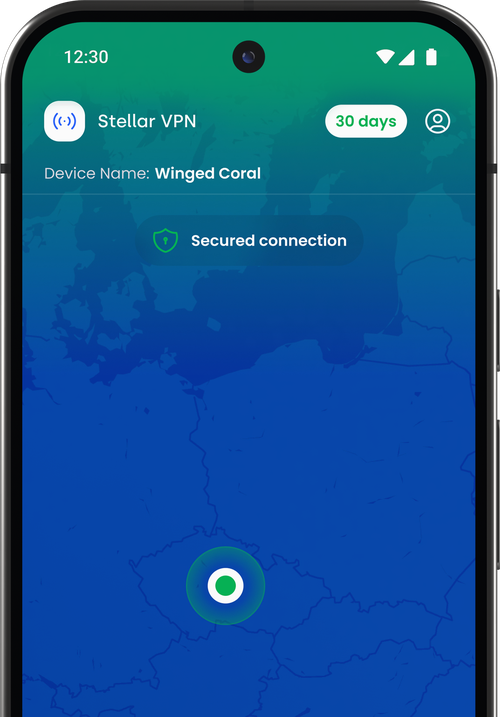
If the Wi-Fi has a sign-in page, complete the venue’s legitimate connection process first. Then open Stellar VPN, use the access included with your eSIM plan and confirm that the VPN reports a connected state before continuing.
A purchase confirmation is not proof that the VPN is running. Check again after a network change or a connection problem. If a captive portal prevents the VPN from connecting, avoid sensitive activity until the network setup is complete and the VPN connection has been established.
Keep the other security layers
HTTPS helps protect the connection to a website. A VPN adds protection on the path to the VPN server, but websites can still recognise an account you sign into. A fraudulent page can still ask for a password, and a harmful download is still harmful.
- Use the official app or a saved website address for important accounts.
- Do not bypass certificate or security warnings to finish a purchase.
- Use strong, unique passwords and supported multi-factor authentication.
- Keep your phone and apps updated.
- Avoid sharing activation details, passwords or recovery codes with an unexpected contact.
Make privacy part of the travel routine
Get Stellar VPN ready before departure, alongside the eSIM installation. Save the access details securely and check the entitlement period for your plan. This gives you time to resolve a sign-in problem before relying on an unfamiliar network.
When leaving a venue, disconnect from networks you do not need and review automatic joining. On the next journey, run the same short check: correct data plan, working connection, VPN connected when wanted, and the right website or app for the task.
Sources & further reading
Product information and device guidance used for this article. Check your selected plan and exact device before purchase or setup.